Creating a relaxing home workspace is essential for maintaining focus, reducing stress, and striking a healthy balance between work and personal life. Whether you’re working remotely full-time or occasionally handling tasks from home, your environment can have a significant impact on your productivity and comfort. In this post, we’ll explore practical tips to help you design a workspace that feels both calming and functional.
Why a Relaxing Workspace Matters
A cluttered, noisy, or uncomfortable workspace can increase distractions and contribute to anxiety or burnout. On the other hand, a well-thought-out setup encourages concentration and encourages you to feel more at ease during the workday. Small changes in lighting, furniture, and organization can make a big difference in how you work and how you feel.
Choose the Right Location
Consider Natural Light
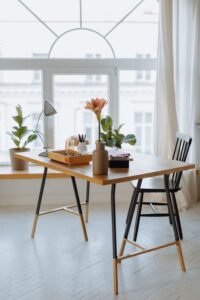
Whenever possible, set up your workspace near a window. Natural light has been linked to better mood and increased energy levels. Position your desk so that the light falls to the side, reducing glare on screens.
Minimize Noise Distractions
If you live in a busy household or urban area, find a quieter corner or consider using noise-canceling headphones. You might also add sound-absorbing materials like rugs or curtains to dampen background noise.
Define Your Workspace
Create a specific area dedicated to work. Having clear boundaries helps your brain differentiate between “work” and “relaxation” zones, which supports better focus and work-life balance.
Prioritize Comfort and Ergonomics
Invest in an Ergonomic Chair
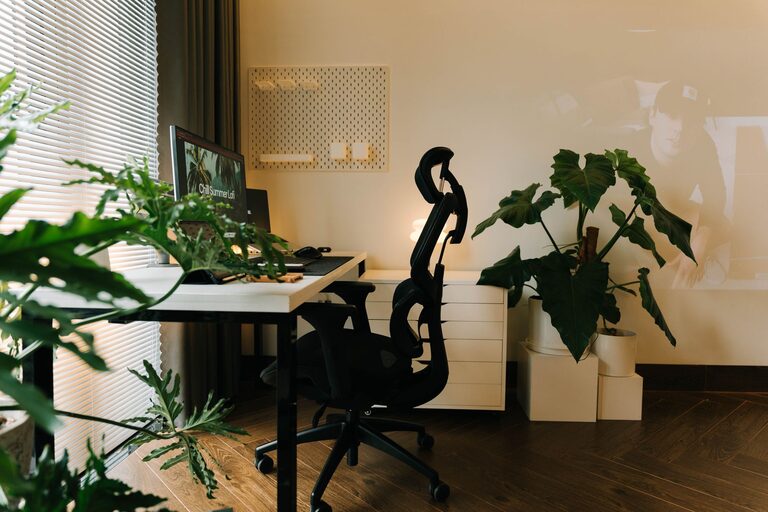
Comfortable seating is key to avoiding back and neck pain. Look for adjustable chairs with good lumbar support.
Use a Suitable Desk
Choose a desk with enough surface area for your computer, notes, and other work essentials. Ensure its height allows your arms to rest comfortably while typing.
Position Your Screen Properly
Your computer screen should be at eye level to prevent strain. Use a monitor stand or stack books if necessary.
Organize to Reduce Clutter
Keep Only Essentials Out
Limit desk items to what you use daily. Store other supplies in drawers or organizers.
Use Cable Management
Tidy cables with clips or sleeves to prevent tangling and maintain a clean look.
Add Storage Solutions
Shelves, drawer units, and desk organizers help keep papers and tools off your workspace.
Incorporate Calming Elements
Choose Soothing Colors
Soft, neutral colors like light blues, greens, or pastels promote relaxation. Avoid overly bright or harsh tones that might cause distraction.
Include Plants
Adding greenery can improve air quality and create a more inviting atmosphere. Low-maintenance plants like pothos or succulents are ideal for desks.
Personalize Mindfully
Add a few personal touches, such as artwork or photos, but avoid overcrowding surfaces.
Improve Lighting and Air Quality
Use Layered Lighting
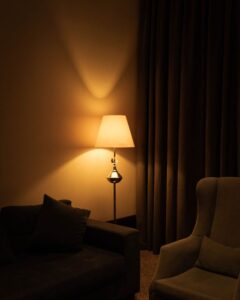
Combine overhead lights with task lamps for adjustable brightness. Warm light bulbs are typically more soothing than harsh white light.
Ventilate Your Workspace
Fresh air can help you stay alert and reduce stuffiness. If possible, open windows regularly or use an air purifier.
Establish Healthy Habits
Take Regular Breaks
Stand, stretch, or briefly walk every hour to reduce muscle tension and eye strain.
Keep Hydrated
Keep a water bottle handy and drink regularly to stay energized.
Set a Routine
Start and finish work at consistent times to maintain boundaries and avoid overworking.
Final Thoughts
Creating a relaxing home workspace is about balancing comfort, organization, and personal preference. By dedicating time to designing a space that supports your needs, you can enhance both your productivity and well-being. Remember, your workspace should evolve as your routines and preferences change — don’t hesitate to adjust as needed.
With these tips in mind, you’re ready to transform your home office into a place you look forward to spending time in every day.